TechMyths and factsPart 8 of 9, How the Internet WorksUpdated 1 October 2026
Internet Myths: What People Get Wrong
Seven common internet myths corrected: Wi-Fi is not the internet, most data does not go by satellite, incognito mode does not make you anonymous, the cloud is real buildings, a padlock does not prove a site is honest, and more.
Use this infographic
Free under CC BY-NC 4.0, with credit to InfoGraphHub.
Why these myths stick
Most of the internet is invisible. You never see the cables, the routers or the data centres, and the words used for them, such as 'the cloud' and 'wireless', make it sound as if data floats through the air. It is easy to fill the gaps with guesses. Some of those guesses are harmless; others, especially about privacy and safety, can lead people into real trouble.
Myths about how it is built
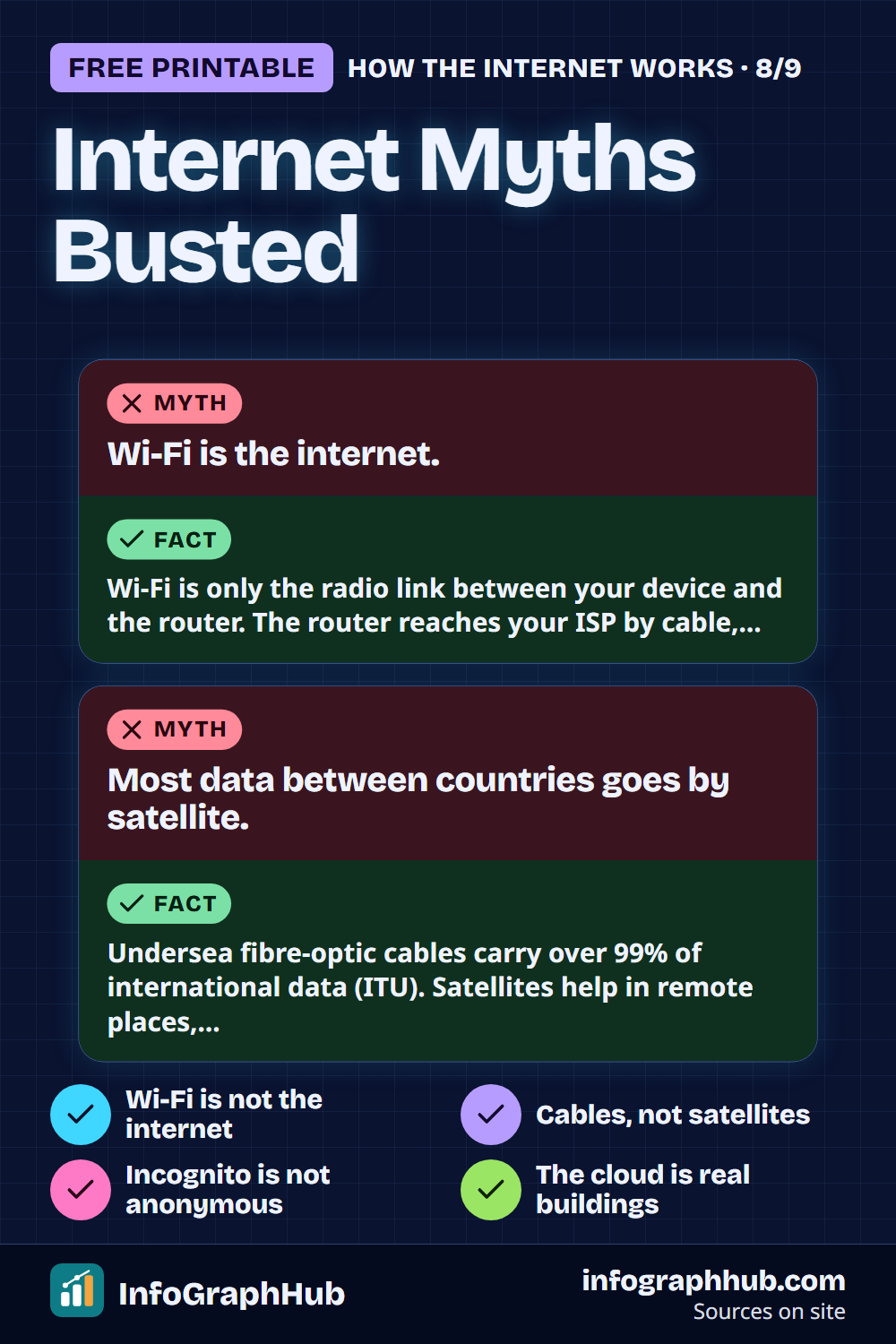
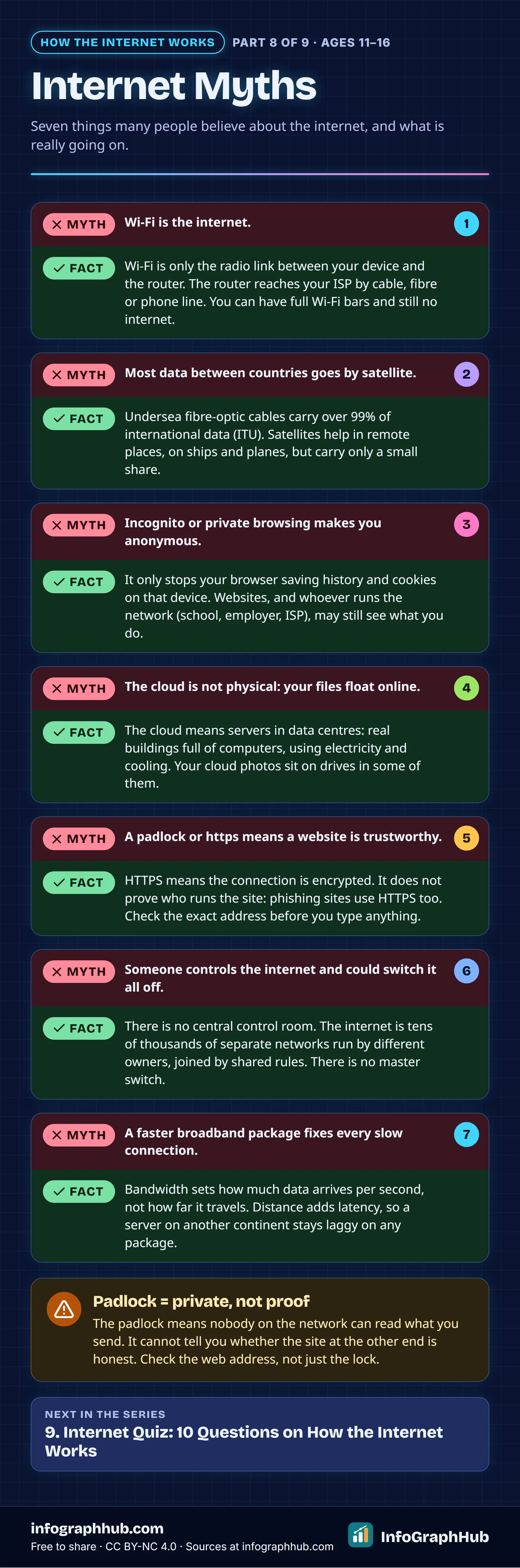
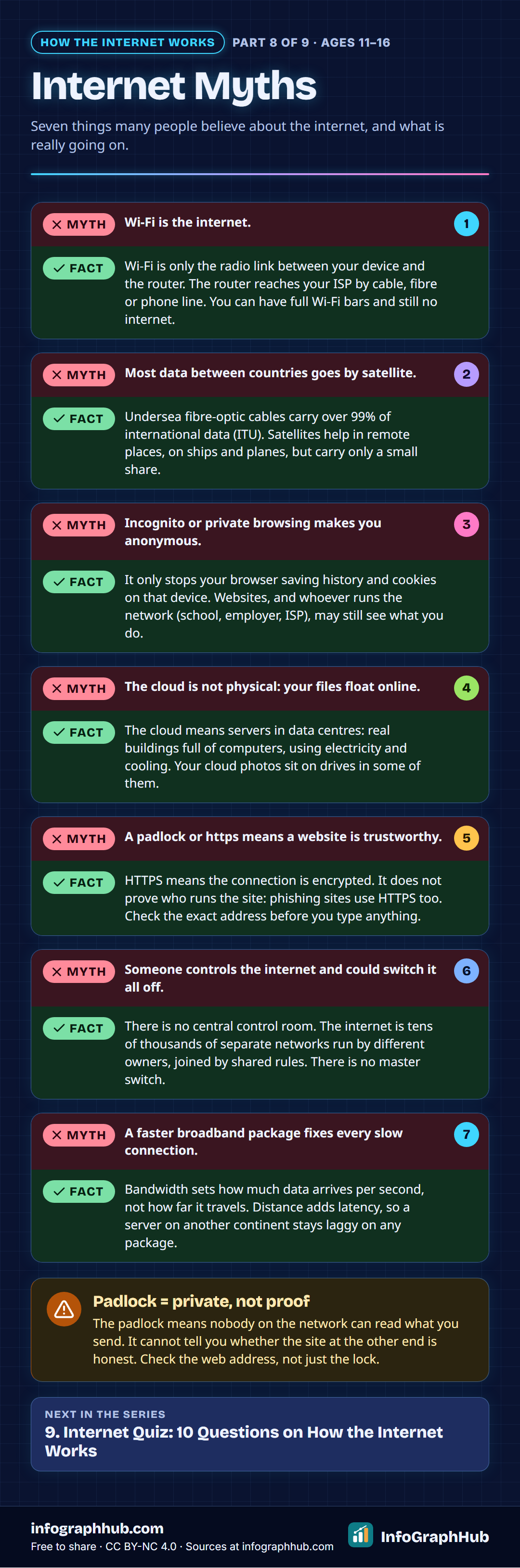
'Wi-Fi is the internet.' Wi-Fi is only the short radio link between your device and your router at home, school or a café. The router then connects, through a cable, fibre or phone line, to your internet service provider. That is why your phone can show full Wi-Fi bars and still have 'no internet': the local link is fine, but the connection beyond the router is not.
'Most international data goes by satellite.' Satellites are useful in remote places, on ships and planes, but the ITU says undersea cables carry over 99 per cent of international data. TeleGeography notes that satellites make up just 0.37 per cent of US international capacity.
'The cloud is not a physical thing.' 'The cloud' is a nickname for servers in data centres: real buildings full of computers, using real electricity and cooling, spread around the world. Your photos 'in the cloud' are stored on hard drives in some of them.
'Someone controls the whole internet and could switch it off.' The internet has no central control centre. It is tens of thousands of separate networks, run by different organisations, that agree to connect. Single services or a country's links can be cut, but there is no one master switch.
Myths about privacy and safety
'Incognito or private browsing makes me anonymous.' Private mode only stops your browser saving your history, cookies and site data on that device after you close the window. Google's own help page warns that the websites you visit, and the organisations that run your network, such as your school, employer or internet service provider, may still be able to see your activity. Files you download stay on the device too.
'A padlock or https means the website is safe and honest.' HTTPS means the connection is encrypted, so others on the network cannot read or change what you send. It says nothing about who runs the site or what they will do with your data. Anyone can get a certificate, including criminals. In 2019 the FBI warned that phishing sites were increasingly using HTTPS, and advised people not to trust a website just because it shows a lock icon. Check the exact web address, and be suspicious of links in unexpected messages.
A myth about speed
'A faster broadband package fixes every slow connection.' Bandwidth is how much data your connection can carry each second; it does not shorten the distance data travels. Latency, the time it takes data to arrive, depends heavily on distance and on the equipment along the route. More bandwidth helps with big downloads and many users at once, but it will not make a game server on another continent respond faster. A cable connection is often steadier than Wi-Fi, too.
Frequently asked questions
Is Wi-Fi the same as the internet?
No. Wi-Fi is a short-range radio link between your device and a router. The router connects to your internet service provider, usually by cable, fibre or a phone line, and that link joins you to the internet. You can be connected to Wi-Fi without having internet access.
Does incognito mode make you anonymous?
No. It stops your browser saving your history and site data on that device, but websites you visit and whoever runs your network, such as a school, employer or internet service provider, may still see your activity.
Does the padlock mean a website is safe?
It means the connection is encrypted with HTTPS, so others cannot read or alter the data on the way. It does not prove the site is honest: phishing sites use HTTPS too. Always check the exact web address.
Is the internet carried by satellites?
Only a small part. Over 99 per cent of international data travels through fibre-optic cables on the sea floor. Satellites mostly serve remote areas, ships and aircraft.
Sources & methodology
Every fact is checked against the sources below. We write original explanations and draw original graphics; no figures are copied from textbooks. Spotted an error? See our corrections policy.
- What is a router? (Cloudflare Learning Center, accessed 1 Oct 2026)
- Submarine cable resilience (International Telecommunication Union (ITU), accessed 1 Oct 2026)
- Submarine Cable FAQs (TeleGeography, accessed 1 Oct 2026)
- Browse in Incognito mode (Google Chrome Help, accessed 1 Oct 2026)
- What is the cloud? (Cloudflare Learning Center, accessed 1 Oct 2026)
- Cyber Actors Exploit 'Secure' Websites in Phishing Campaigns (FBI Internet Crime Complaint Center (IC3), accessed 1 Oct 2026)
- What is HTTPS? (Cloudflare Learning Center, accessed 1 Oct 2026)
- What is latency? (Cloudflare Learning Center, accessed 1 Oct 2026)
- How It Works (Internet Society, accessed 1 Oct 2026)
Editorial review pending · Updated
Made by the InfoGraphHub editorial team (how we research and check: editorial and AI policy). First published 1 October 2026, last reviewed 1 October 2026. Found a mistake? Tell the editors.
For teachers: ages and curriculum fit
Ages 11–16 · Grades 6–10 (US) · Years 7–11 (UK) · Classes 6–10 (India)
Embed this on your site
Paste this HTML into your page. Keep the credit line: it is required by the CC BY-NC 4.0 license.
Related infographics


For teachers and parents: new InfoGraphHub resources by email
One short email when new free resources go live. For adults (18+) only. No spam, no tracking in emails, unsubscribe anytime.