Technology infographics and cheat sheets
Technology moves fast, but the core ideas behind it can be explained simply. This collection turns tricky topics into one-page visuals you can actually use: how a large language model turns your question into an answer, step by step, and cheat sheets of commands you will reach for every day, such as the essential Git workflow.
The explainers avoid hype and jargon. Where a term is unavoidable, such as a token or a commit, it is defined in plain English on the page below the graphic, along with frequently asked questions and the documentation or research we checked.
Developers can pin a cheat sheet next to their editor, teachers can use the explainers to introduce AI or version control in a computer-science class, and anyone curious can get a reliable mental model in a few minutes. All graphics are free to share under CC BY-NC 4.0.
All Tech infographics (2)
 Tech
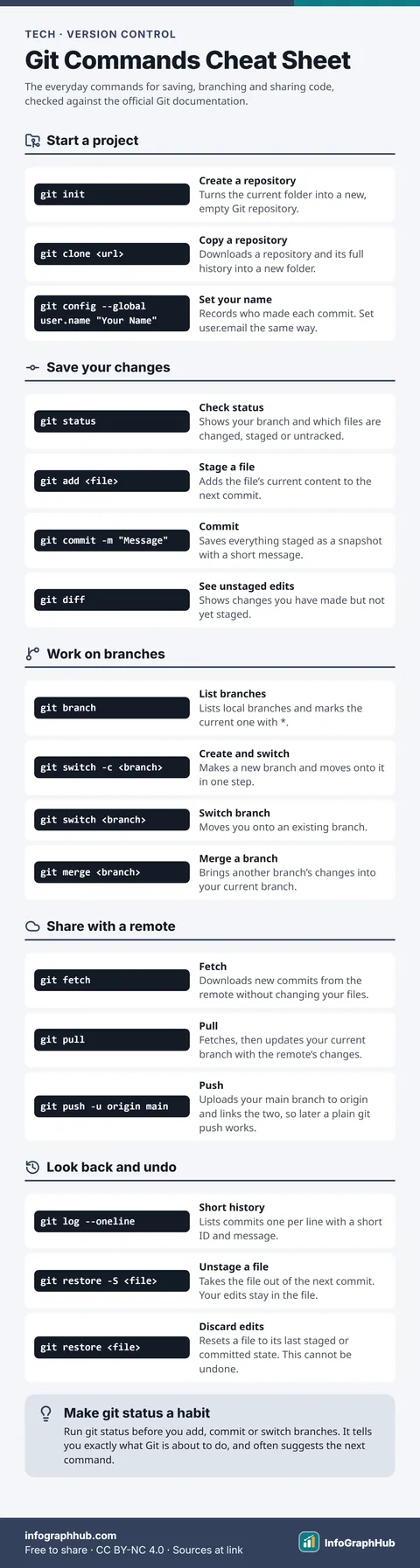
TechGit Commands Cheat Sheet: The Essentials for Beginners
The Git commands beginners use most: set up a repository with init or clone, save work with add and commit, build features on branches with switch and merge, share work with fetch, pull and push, and undo safely with restore.
 Tech
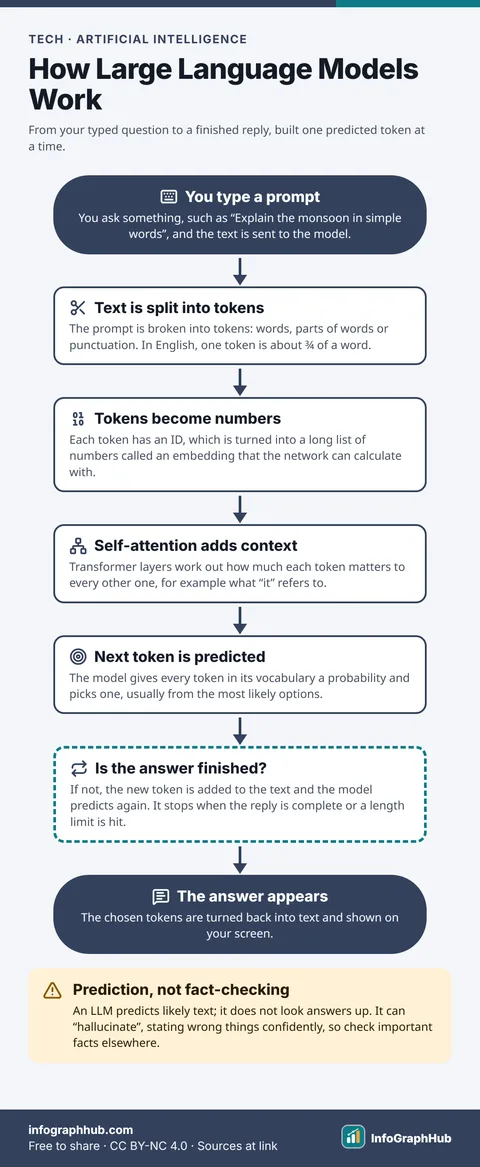
TechHow Large Language Models Work: From Prompt to Answer
A large language model splits your prompt into tokens, turns them into numbers, uses self-attention to work out context, then predicts the most likely next token. It repeats that prediction, one token at a time, until the answer is complete.
Frequently asked questions
Who are the tech infographics for?
Beginners, students and busy professionals who want a clear mental model or a quick reference. No prior expertise is assumed.
Are the cheat sheets up to date?
They are checked against the official documentation listed on each page, and the review date is shown. Commands rarely change, but always check the docs for advanced options.
Can I print a cheat sheet for my desk or lab?
Yes. Download the free A4 PDF, or the premium A3 print PDF for a larger poster.